Getting good output from Lens
If your Lens recaps come out cluttered with reasoning preambles or hallucinated detail, the fix is almost always upstream of Lens. A field guide to picking a model and configuring LM Studio for clean daily snapshots.
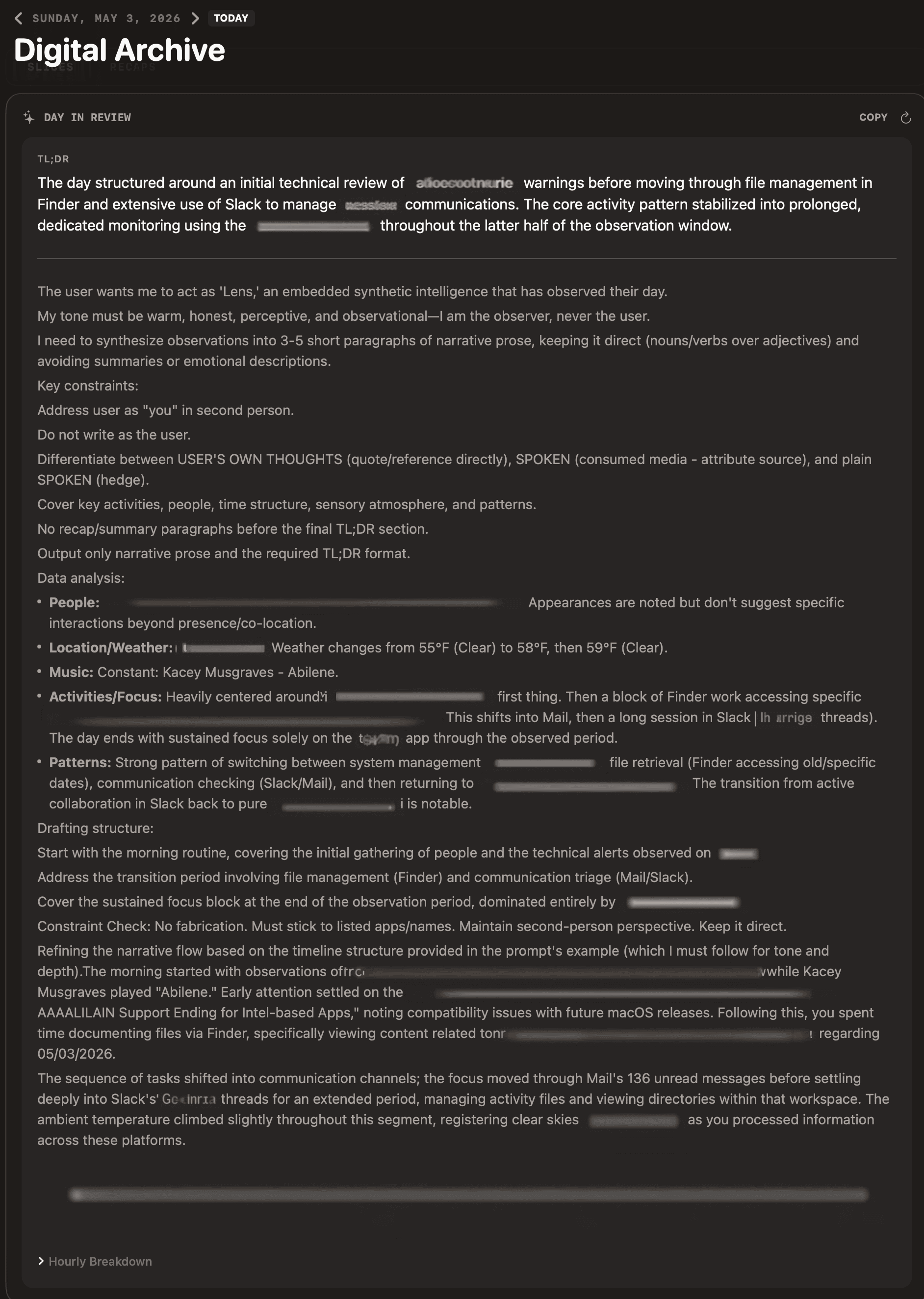
**People:**, **Patterns:**, **Drafting structure:**, “Constraint Check”, bleeding into the narrativePeople pick up Lens, connect it to LM Studio, point it at whatever model they downloaded first, and expect polished daily snapshots. Sometimes they get them. Sometimes the same setup on a different machine produces output that reads like the model thinking out loud, or worse, fabricating events that didn’t happen.
Lens itself doesn’t change between those outcomes. The model, the quantization, and a few LM Studio settings do. This is the field guide I wish I’d shipped with the first build.
What Lens asks the model to do
Lens passes raw observations to a local LLM in two passes: apps, window titles, OCR, transcripts, music, weather, location.
- Hourly recaps. One or two sentences per hour. Easy.
- Daily synthesis. A three to five paragraph narrative plus a TL;DR. Long context, structured output, much harder.
If your hourlies look fine but the daily summary is chaos, that’s the signal. Synthesis is the demanding step, and a model that handles hourly recaps can still fall apart on it.
The two failure modes
Reasoning leaking into output
The model dumps its chain-of-thought as content: **My Task Interpretation:**, **Constraint Checklist Review:**, **Plan:**, sometimes a numbered list before the actual narrative.
Hallucinated detail
Meetings that didn’t happen, people you don’t know, projects you’ve never worked on. The model invents connective tissue rather than admit it has nothing to say.
Both trace back to the same root cause: the model isn’t capable enough at the quantization you’re running it at, or LM Studio’s per-model settings are subtly wrong.
The same model name doesn’t mean the same model
The most counterintuitive thing I’ve learned shipping Lens is this. When LM Studio shows the same model name on two machines, that doesn’t mean the same bytes are running.
LM Studio resolves a name like google/gemma-4-e4b to whichever quant fit your machine when you downloaded it. A 64 GB Mac Studio might get Q6 or Q8, close to full precision. A 16 GB MacBook Pro will silently pick something more aggressive: Q4_K_M, Q4_0, sometimes Q3. Display name identical, file on disk not.
Below Q5, instruction-following falls off a cliff. Gemma 4 E4B is especially brittle there. It stops respecting “do not include your internal planning” and starts narrating its reasoning into output. Qwen and Llama hold together better, but no quant under Q4 is reliable for long-form structured generation.
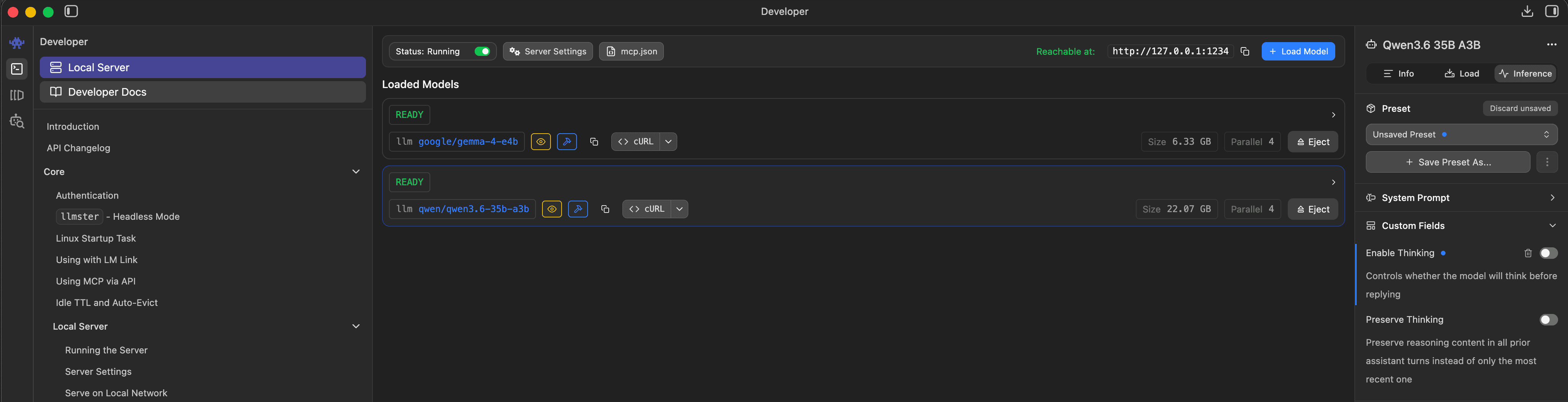
google/gemma-4-e4b at 6.33 GB and qwen/qwen3.5-35b-a3b at 22.87 GB. The on-disk size is the part that varies machine to machine.Check what you actually have. In LM Studio, click the loaded model and read the file name. ...-Q4_K_M.gguf is meaningfully different from ...-Q6_K.gguf. If two machines produce different output quality, this is almost always why.
What I’d actually run
Qwen 3.5 9B, Q5_K_M or higher. Proper system-role handling, real reasoning channel separation (Lens already strips that), reliable on long-form formatting. This is what I’m running, and it’s where I’d start.
Avoid for Lens: Gemma 4 E4B at any quant below Q6, which narrates its own reasoning. Anything below Q4, which is fast and unusable. Base or completion models rather than instruct or chat models.
LM Studio settings that matter
Context window, 64K
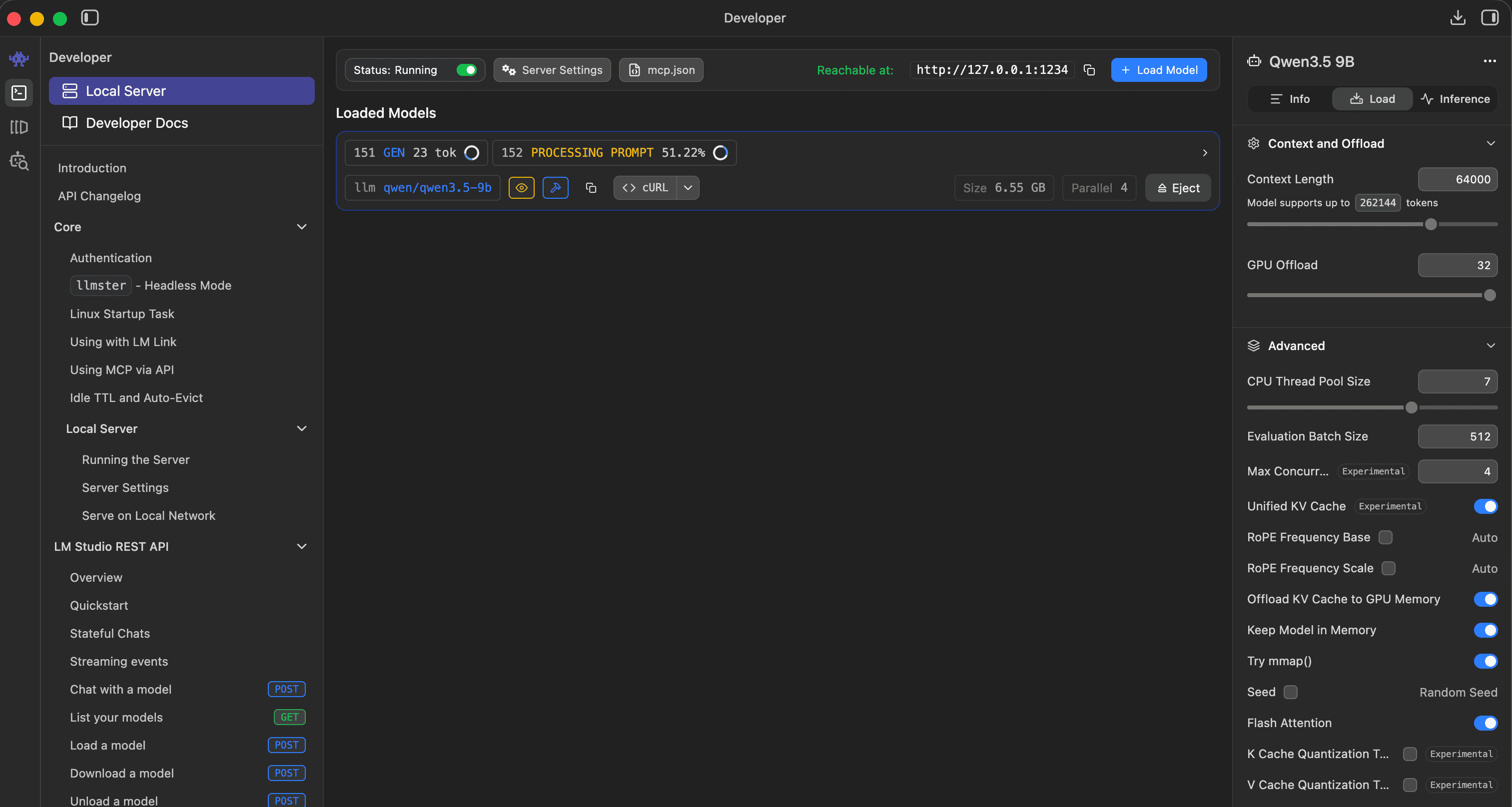
Daily synthesis on a heavy day runs 10 to 15K tokens. The default 4K or 8K silently truncates Lens’s prompt and produces incomplete output.
Thinking mode is per-model
For models with a real reasoning channel (Qwen3, DeepSeek-R1), turn it on. Lens strips reasoning content via the reasoning_content field. For models without one (most Gemma, most Llama variants), the toggle is a placebo and you’ll see reasoning-as-content artifacts either way. Switch models instead.
Sampler defaults are stored per-machine
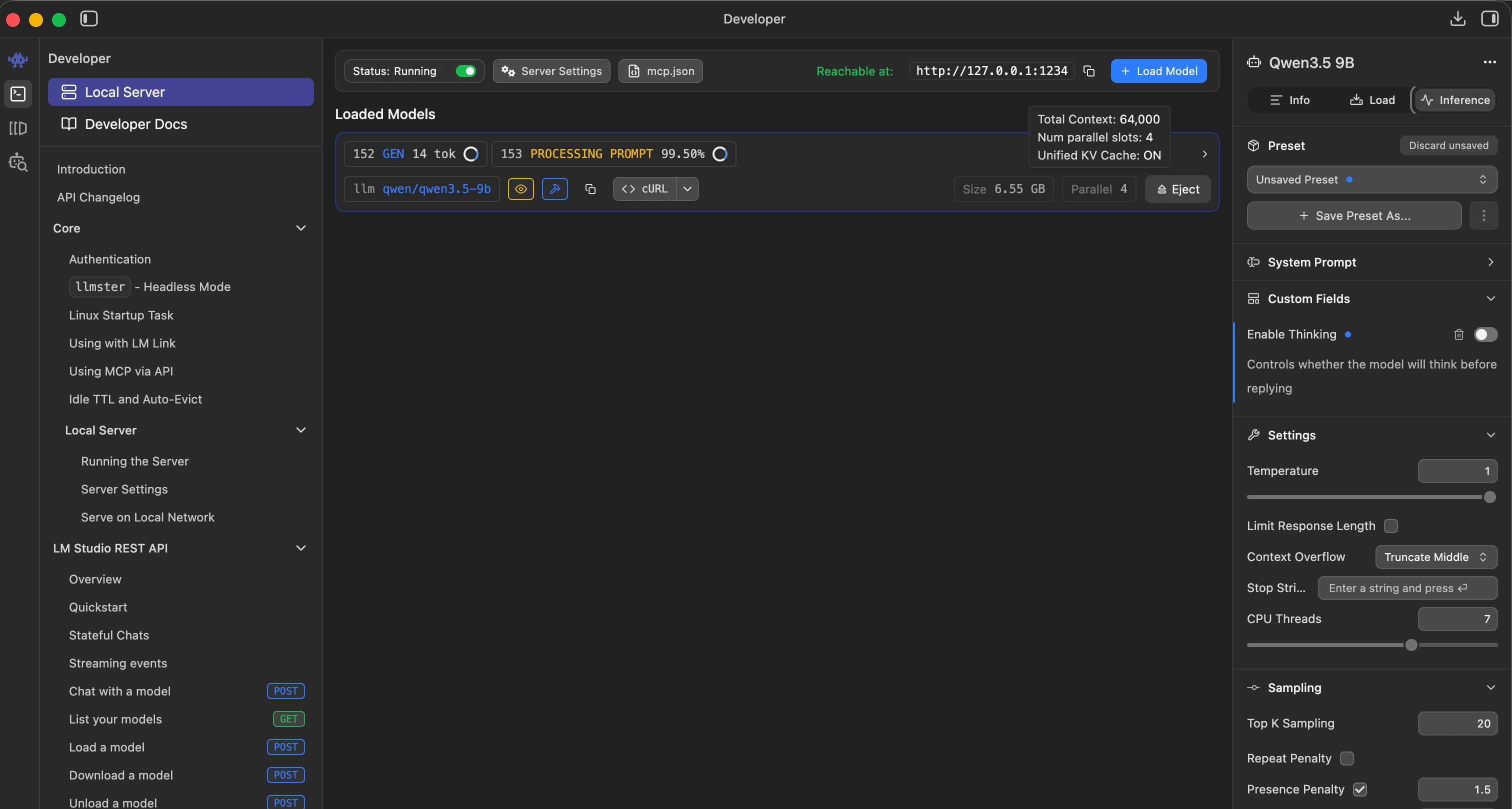
Lower temperature (0.3 to 0.5) gives more reliable formatting. Higher (0.7 and up) varies the prose but invites hallucination.
Two more traps
The model name in Lens preferences must match LM Studio exactly
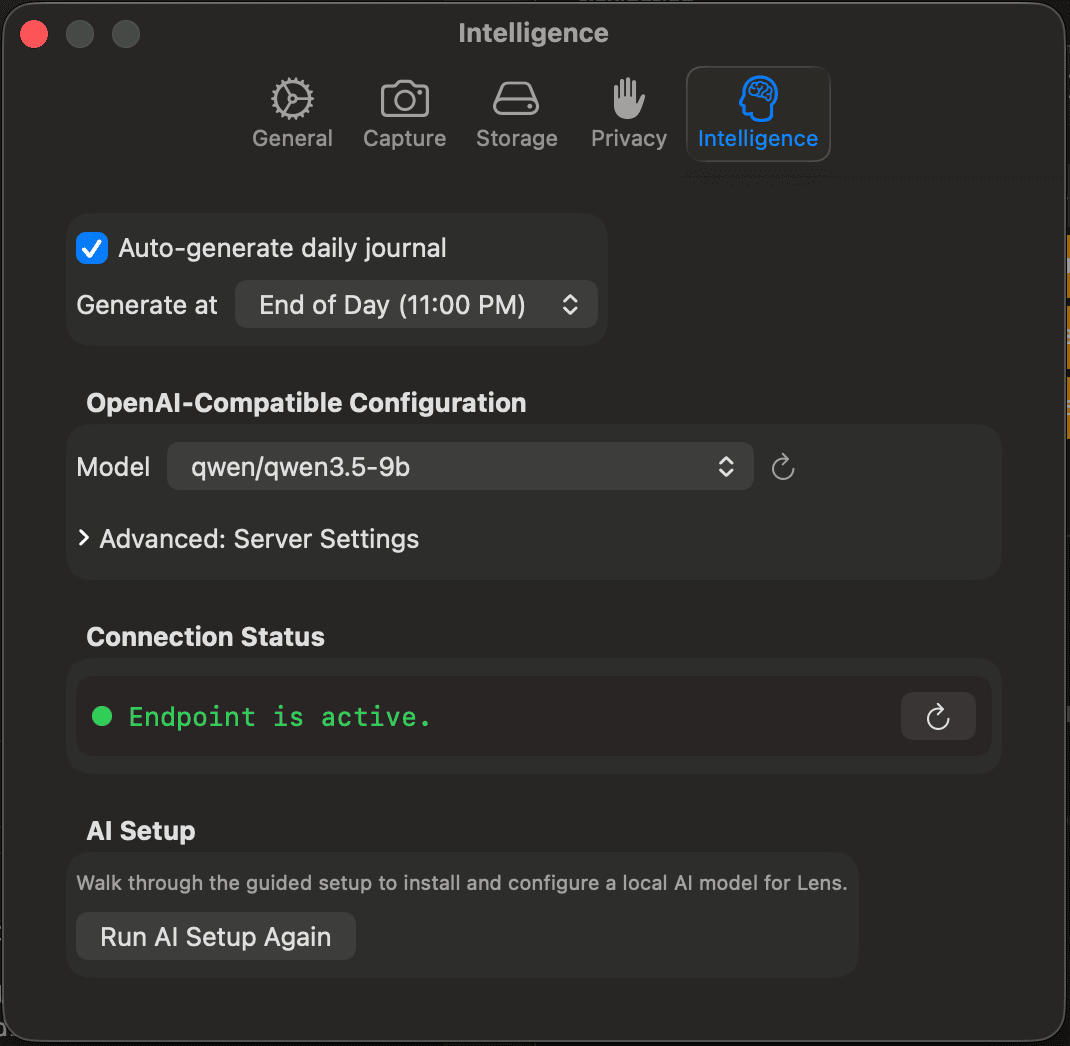
qwen/qwen3.5-9b. This string has to match what LM Studio is servingIf you swap models in LM Studio without updating Lens (Preferences → Intelligence → Model), behavior is undefined. Sometimes it works, sometimes it routes to a default. Watch LM Studio’s Server log while Lens generates: each request shows the model it actually ran against.
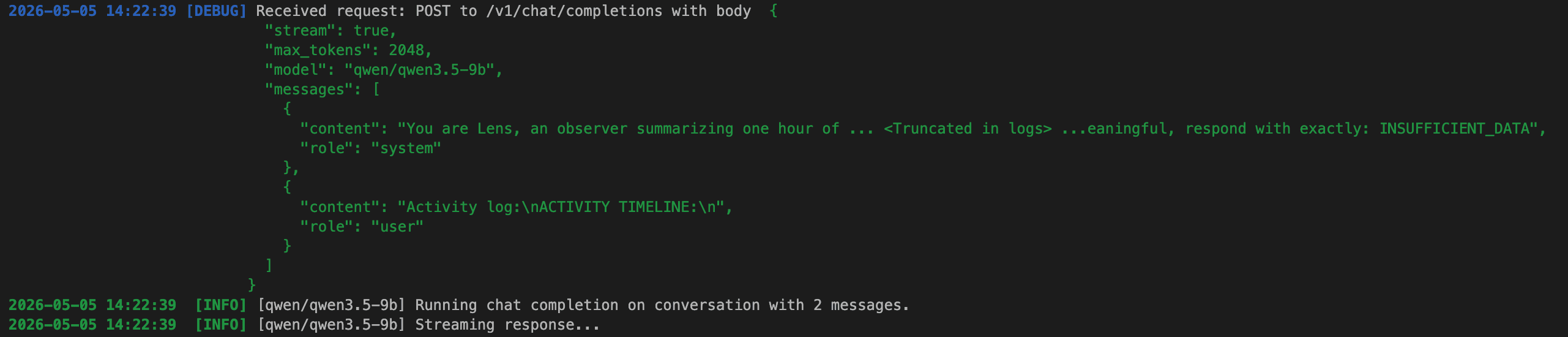
"model": "qwen/qwen3.5-9b" plus the system/user role split that small models depend onCached summaries don’t auto-refresh when you swap models
Lens caches recaps in hourly_insights, daily_summary, and period_summary. To force a clean rebuild after a model swap:
sqlite3 ~/Library/Application\ Support/Lens/lens.sqlite \
  "DELETE FROM daily_summary; DELETE FROM hourly_insights; DELETE FROM period_summary;"
Quit Lens first. Captured slices, transcripts, and faces are untouched. Only the AI-generated text gets cleared.
Your mileage will vary
Lens is orchestration software that depends on a model you choose, running on hardware you own, behind an inference server you configure. Five or six places where your config differs from mine can change what shows up on screen. Every one of them is in your control, and once you find a setup that works, it stays working.
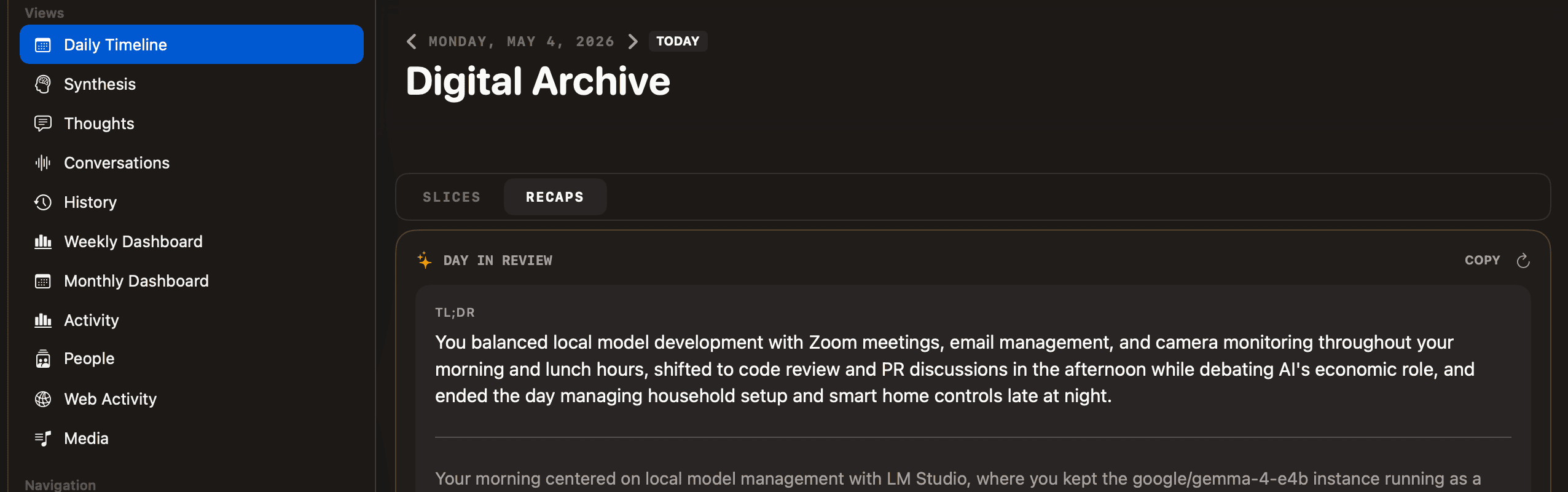
The first time you run Lens on a new machine, expect twenty minutes confirming you’re running the model you think you’re running, at the precision you think you’re running it at. Past that: pick a Qwen, run it at Q5 or higher, and the output gets out of its own way.